10 CRM Workflows Every Business Should Automate
Ten proven CRM workflows — from lead routing to renewal alerts — that cut admin time and stop deals from slipping through the cracks.
DevGlim Team
August 20, 2026
Looking to build this instead of buying it? See our Custom CRM Development service →
10 CRM Workflows Every Business Should Automate
Not every part of your sales process is worth automating. Some steps genuinely need a human judgment call. But a surprising number of the tasks eating up your team's time follow the exact same pattern every single time — which makes them ideal candidates for automation.
Below are ten CRM workflows that consistently deliver the fastest, most measurable return. Each one includes what triggers it, what it should do, and what to watch out for when you set it up. If you're new to the broader concept, our CRM automation guide covers the fundamentals — this article goes one level deeper into the specific workflows worth building first.
1. New Lead Routing and Assignment
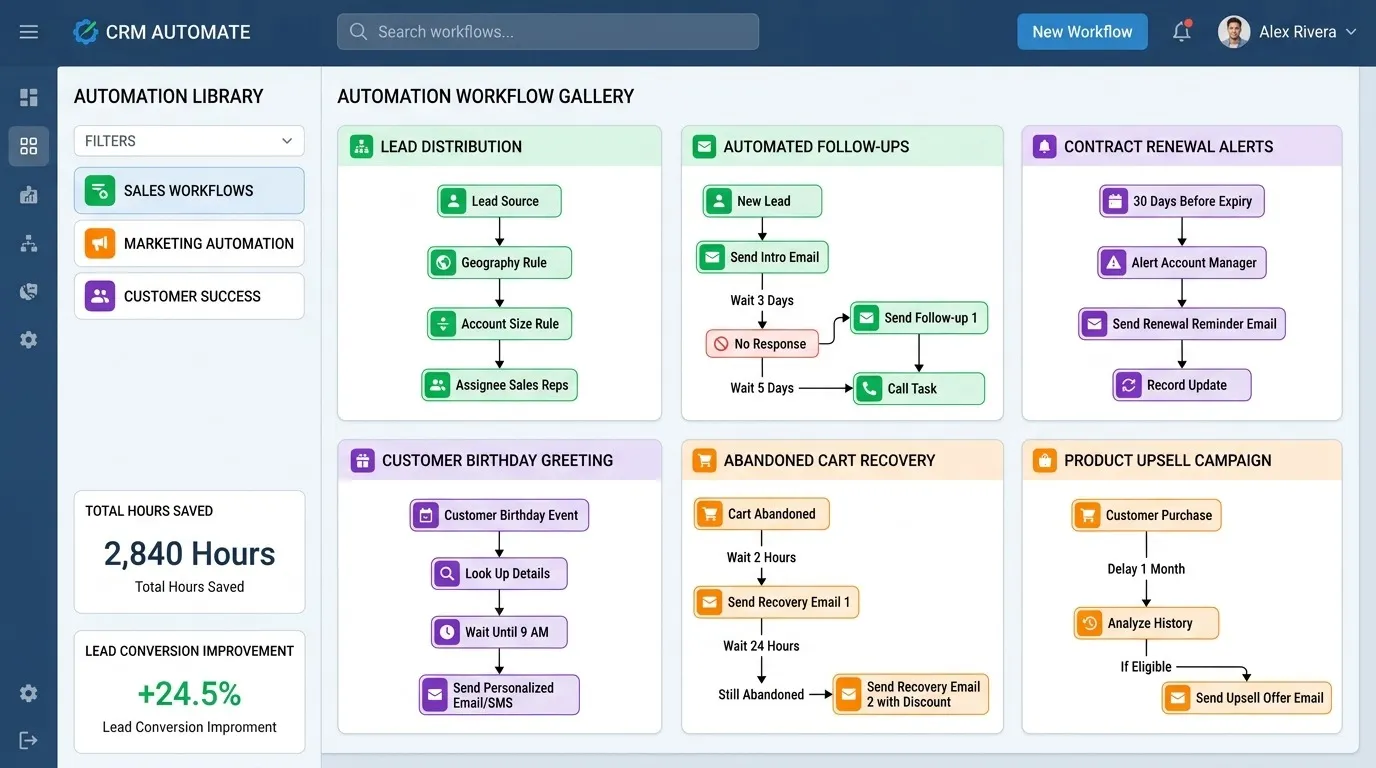
Trigger: A new lead is created from a form submission, chatbot conversation, or list import.
What it does: Automatically assigns the lead to a rep based on territory, company size, product interest, or round-robin rotation, then sends an instant notification so the rep can respond immediately.
This is consistently the highest-impact workflow on this list. The gap between when a lead submits a form and when a human first responds is one of the strongest predictors of whether that lead converts. Manual assignment — someone checking a shared inbox, deciding who's next, and forwarding the lead — routinely adds hours of delay that automation eliminates in seconds.
Watch out for: Routing logic that doesn't account for reps being out of office. Build in a fallback assignee or a rotation skip for anyone marked unavailable.
2. Lead Qualification Scoring
Trigger: A lead's activity or profile data changes — a page visit, an email open, a firmographic field being enriched.
What it does: Assigns or updates a lead score based on predefined criteria (company size, job title, engagement level) and automatically flags leads that cross the qualification threshold for sales follow-up.
This keeps reps focused on leads that are actually ready for a conversation instead of manually sorting through a list every morning trying to guess which ones are worth calling first.
Watch out for: Scoring models that never get revisited. What counts as a qualified lead shifts as your product and market change — a scoring workflow built a year ago may be flagging the wrong signals today.
3. Follow-Up Sequences for Cold or Unresponsive Leads
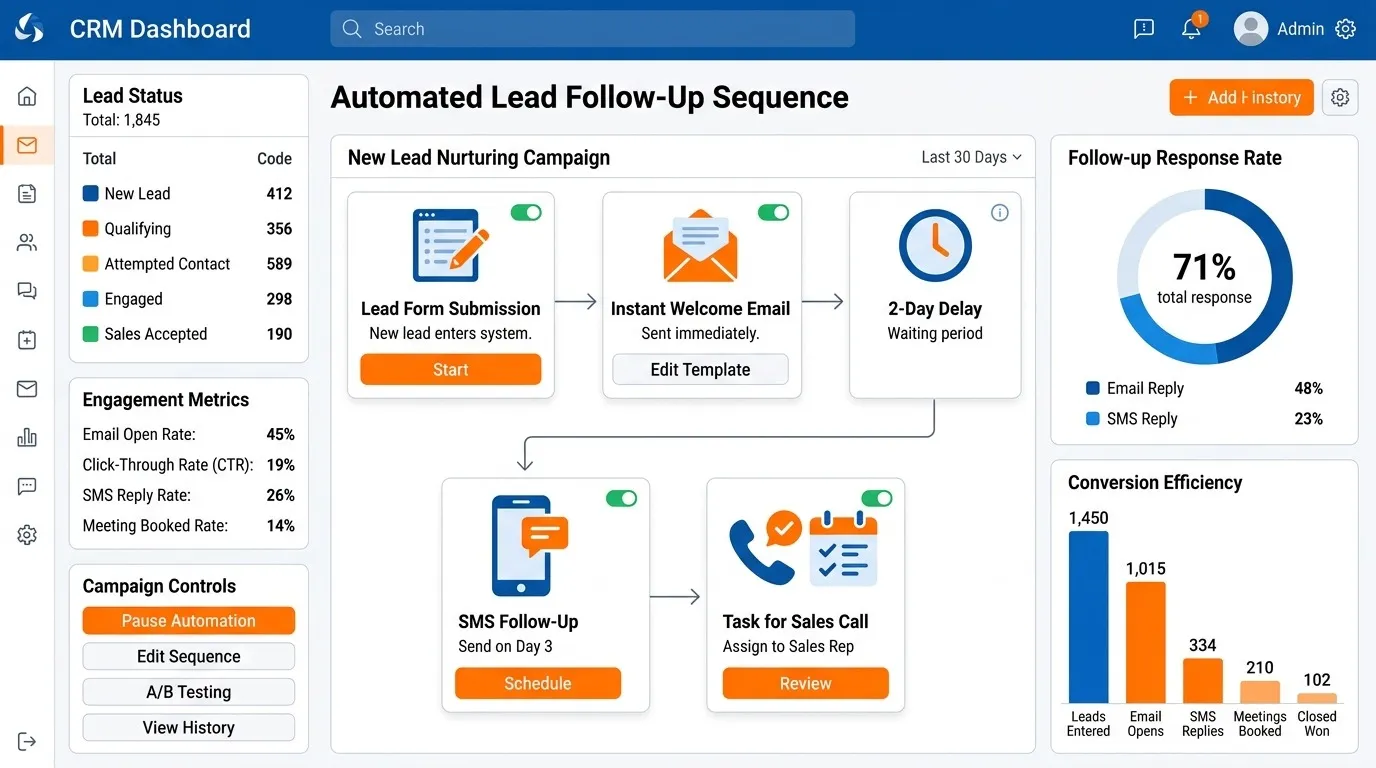
Trigger: A lead goes a set number of days without a response after initial contact.
What it does: Enrolls the lead in a multi-touch email sequence spaced over one to two weeks, and automatically removes them from the sequence the moment they reply, book a meeting, or unsubscribe.
This is where CRM automation and sales automation overlap most directly. Without it, cold leads either get manually chased in an inconsistent way or simply get forgotten once a rep's attention moves to newer, warmer leads.
Watch out for: Missing exit conditions. A sequence that keeps emailing someone who already replied — or worse, who already became a customer — is one of the fastest ways to make automation look careless rather than efficient.
4. Deal Stage Task Creation
Trigger: A deal moves from one pipeline stage to the next.
What it does: Automatically creates the specific tasks associated with that stage — sending a proposal, scheduling a technical call, requesting a signature — so reps don't have to remember what comes next from memory.
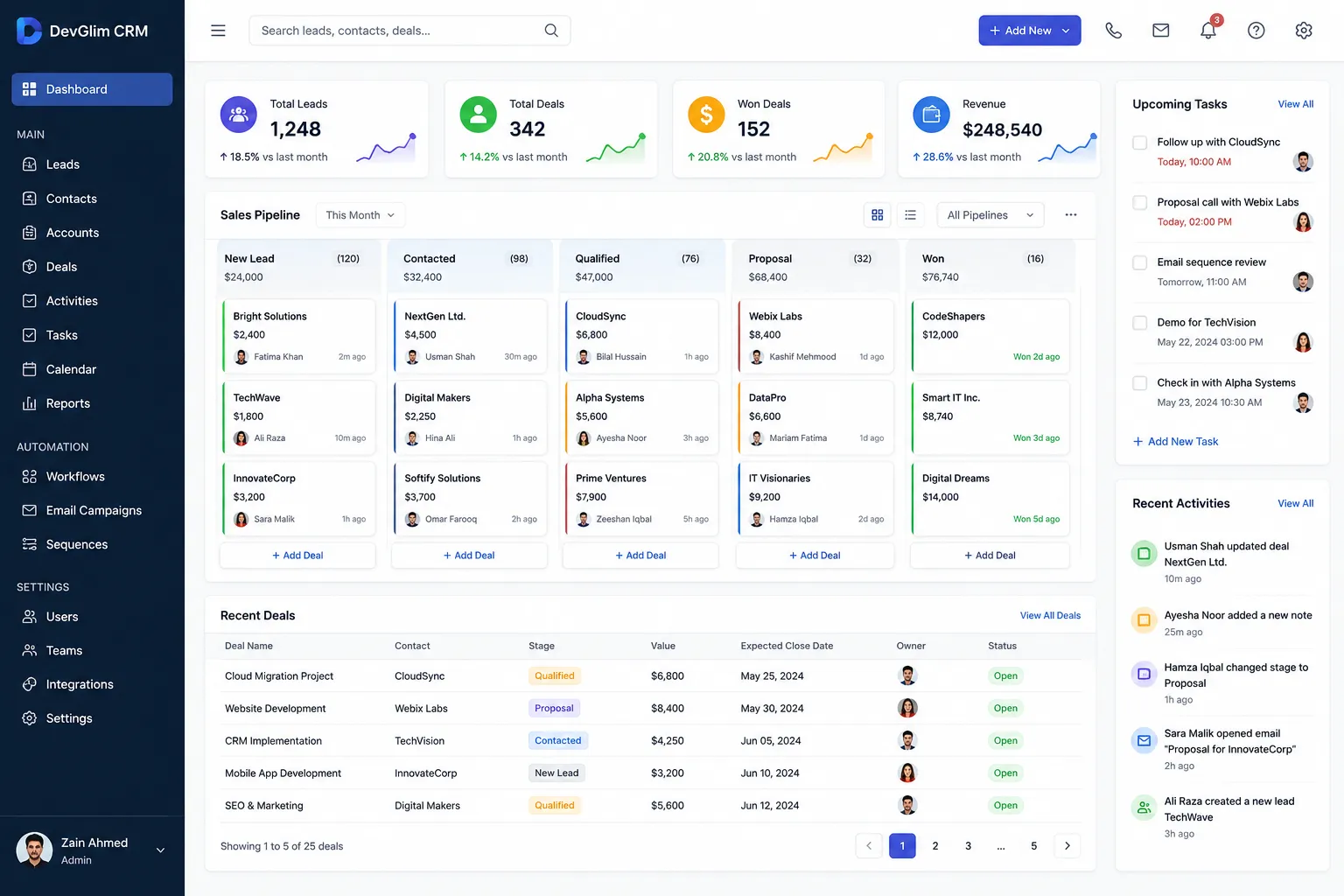
This workflow does double duty: it saves time, and it enforces process consistency. If every deal in "proposal sent" automatically gets a follow-up task three days later, no deal quietly stalls just because a rep got busy with something else.
Watch out for: Task overload. If every stage change generates five tasks, reps start ignoring the task list entirely. Keep it to the one or two actions that actually matter at each stage.
5. Stale Deal Alerts
Trigger: A deal sits in the same stage for longer than your average time-in-stage benchmark.
What it does: Notifies the rep and, after a longer threshold, their manager, flagging the deal as at risk so it gets attention before it quietly falls out of the pipeline.
Deals rarely die all at once — they stall, get deprioritized, and eventually go cold without anyone officially marking them lost. This workflow surfaces that pattern before it becomes unrecoverable.
Watch out for: A single threshold applied across every deal type. A stage that normally takes two weeks for enterprise deals shouldn't trigger the same alert timeline as a stage that normally takes two days for small deals.
6. Meeting Scheduling and Calendar Sync
Trigger: A prospect clicks a scheduling link or replies requesting a call.
What it does: Automatically books the meeting based on real-time rep availability, adds it to the CRM record, and sends confirmation and reminder emails without any manual back-and-forth.
Beyond saving time, this workflow removes one of the most common points of lead drop-off: the multi-email scheduling exchange where a prospect's interest cools while everyone tries to find a time that works.
Watch out for: Calendar sync issues across time zones. Test this workflow with international contacts specifically, since timezone bugs here are common and can result in double-booked or missed meetings.
7. Activity Logging From Connected Channels
Trigger: A call, email, or calendar event occurs on a channel connected to the CRM.
What it does: Automatically logs the activity against the correct contact and deal record, including call outcomes and email engagement, without the rep manually entering it.
Manual activity logging is one of the biggest sources of CRM data decay. Reps skip it when busy, log it inconsistently, or forget details by the time they get around to it. Automating this step is often what makes every other workflow on this list more reliable, since they all depend on accurate underlying data.
Watch out for: Duplicate logging when multiple tools are connected to the same channel — for example, a call logged by both a dialer integration and a calendar sync. Check for overlap before rolling this out broadly.
8. Customer Handoff From Sales to Onboarding or Success
Trigger: A deal is marked "closed won."
What it does: Automatically notifies the onboarding or customer success team, transfers the relevant deal and contact data, and creates the first onboarding task — removing the gap where new customers sometimes wait days for anyone to reach out after signing.
This is one of the more overlooked CRM workflow automation opportunities. A lot of early churn traces back not to product issues but to a slow, disorganized start to the customer relationship, and that's often a direct result of a handoff that depended on someone remembering to loop in the right team.
Watch out for: Missing context in the handoff. Automating the notification is only half the job — make sure deal notes, specific customer requirements, and promised timelines transfer along with it, not just the contact record.
Build your CRM Now
9. Renewal and Upsell Alerts
Trigger: A contract approaches its renewal date, or a customer's usage crosses a threshold that indicates upsell readiness.
What it does: Notifies the account owner in advance of renewal windows and flags accounts showing expansion signals, so outreach happens proactively rather than reactively.
Renewals handled reactively — reached out to only after a customer raises the question, or worse, after they've already decided not to renew — are a significant and avoidable source of lost revenue. This workflow shifts that timeline earlier, when there's still room to act.
Watch out for: Alerts sent too close to the renewal date to be useful. Build in enough lead time — typically 60 to 90 days for annual contracts — for a meaningful conversation to happen before the decision is effectively already made.
10. Pipeline and Forecast Reporting
Trigger: A scheduled interval (daily or weekly) or a material change in forecast numbers.
What it does: Automatically compiles and distributes pipeline reports to sales leadership, and sends real-time alerts when forecast changes exceed a defined threshold.
This replaces the manual Monday-morning ritual of pulling numbers into a spreadsheet, and it means leadership finds out about a significant forecast shift when it happens, not a week later during a scheduled review.
Watch out for: Reporting automation is only as accurate as the data quality feeding it. If deal stages and activity logs aren't reliably updated — which is exactly what workflows 4 and 7 above are meant to fix — automated reports will just distribute bad data faster.
How to Prioritize These Workflows
If you're building CRM workflows for the first time, don't start all ten at once. A sensible sequence looks like this:
- Start with data integrity: activity logging (#7) and deal stage tasks (#4). These make every other workflow more reliable.
- Then fix the top of funnel: lead routing (#1) and follow-up sequences (#3), since these have the most direct and measurable revenue impact.
- Add visibility: stale deal alerts (#5) and pipeline reporting (#10), once your underlying data is clean enough to trust.
- Round out the full lifecycle: qualification scoring (#2), scheduling (#6), customer handoff (#8), and renewal alerts (#9) as your process matures.
Each workflow should run for at least one full sales cycle before you judge whether it's working. Automation that looks broken in week one is often just surfacing a process problem that was already there — it's worth diagnosing before you scrap the workflow itself.
Next Steps
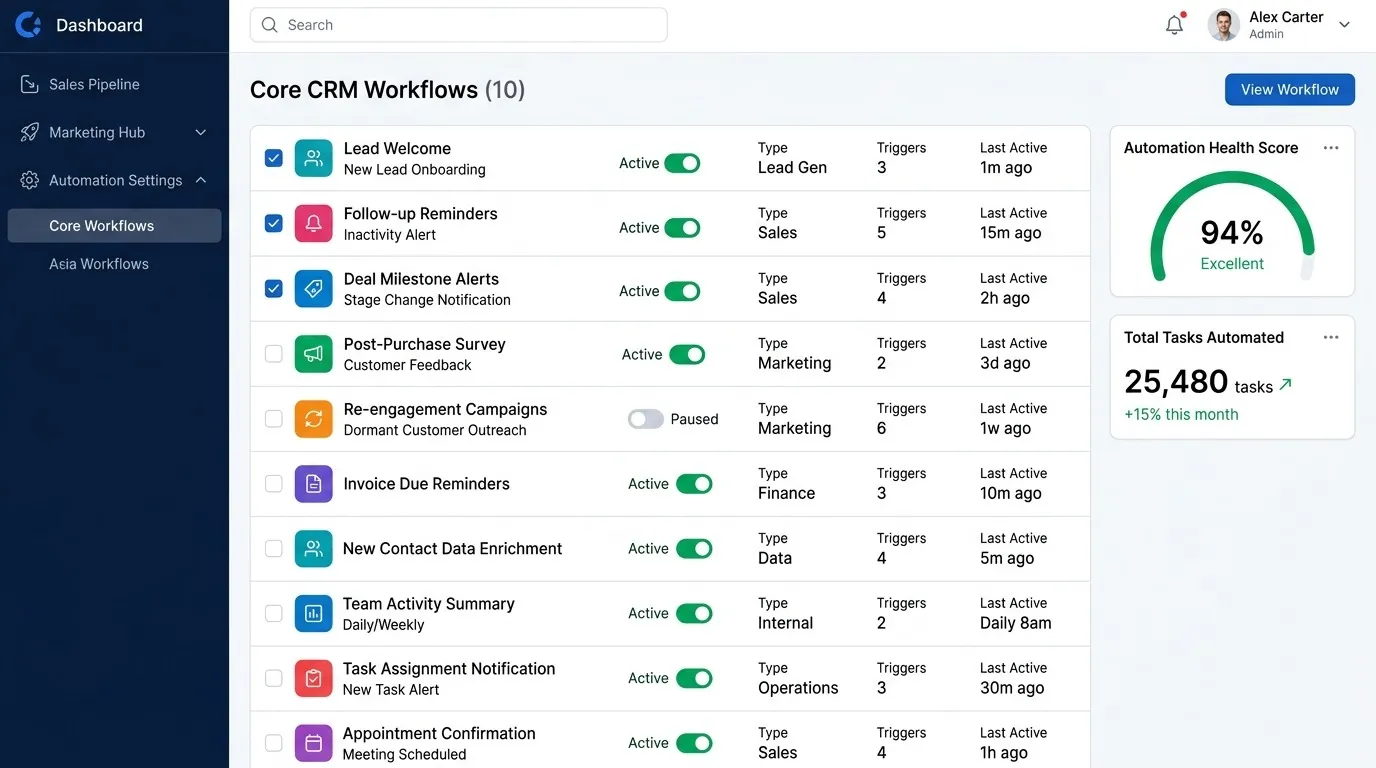
These ten workflows cover the core of what most sales and customer success teams need, but the right starting point always depends on where your current process is weakest. If leads are getting contacted fast but deals stall mid-pipeline, start with stage-based tasks and stale deal alerts rather than lead routing. For a full walkthrough of how to plan, build, and roll out automation without disrupting your existing process, see our complete CRM automation guide.