Real Estate CRM Data Migration: How to Clean, Map and Move Your Records
A practical guide to real estate CRM data migration, covering cleanup, field mapping, deduplication, testing, permissions and a safe cutover plan.
Zain
September 29, 2026

Looking to build this instead of buying it? See our A Custom Real Estate CRM Built Around Your Exact Workflow service →
Moving real estate data into a new CRM is not a simple export-and-import task. Poorly cleaned records create duplicate leads, broken ownership and unreliable reports. A structured migration gives your team a clean foundation for automation and follow-up.
What data should you migrate?
Start with the records your team actively uses:
- Contacts and lead sources
- Property and listing records
- Opportunities and deal stages
- Notes, activities and follow-up tasks
- Ownership and assignment history
- Communication preferences
- Documents and important dates
Do not migrate every historical field automatically. Keep only information that supports a business process, compliance need or reporting requirement.
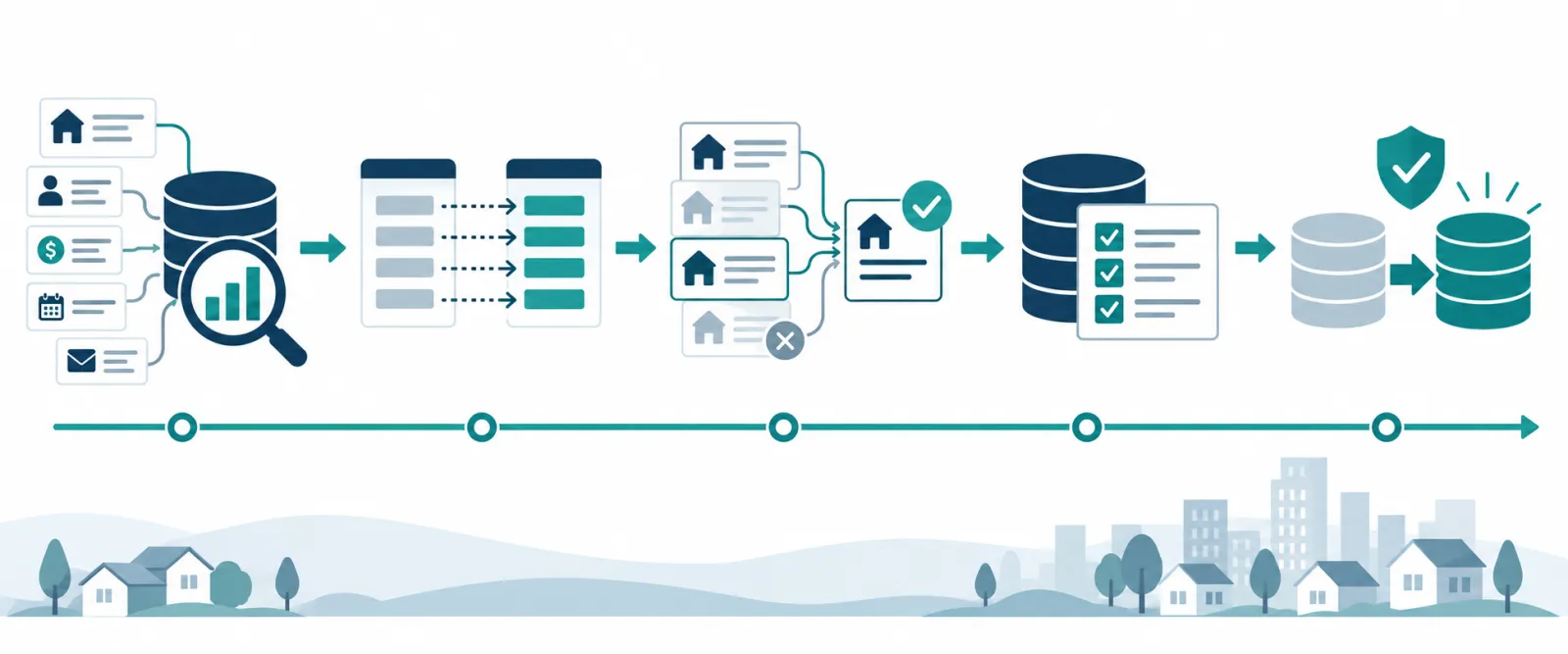
A six-step CRM migration process
1. Audit the source data
Inventory every spreadsheet, legacy CRM, inbox export and third-party system. Identify the owner, format, record count, duplicate risk and business purpose of each source.
2. Create a field-mapping plan
Map each old field to one destination in the new CRM. Document transformations such as date formats, stage names, phone numbers and lead-source values.
3. Clean and deduplicate records
Normalize names, email addresses, phone numbers and addresses. Choose a matching rule and decide which record becomes the master when duplicates exist.
4. Validate ownership and permissions
Every active lead and deal should have a clear owner. Confirm that teams can see what they need without exposing sensitive records unnecessarily.
5. Test a sample migration
Import a small representative sample first. Test search, relationships, activities, reports, automations and permissions before moving the full dataset.
6. Cut over with a rollback plan
Freeze changes in the old system, run the final migration, verify key counts and keep a read-only backup. Define how the team will report issues during the first two weeks.
Common migration mistakes
- Importing duplicate records
- Changing field definitions halfway through
- Migrating incomplete notes without context
- Forgetting lead-source attribution
- Launching before users test real workflows
- Removing access to the old system too quickly
Final checklist
Before launch, confirm that records are deduplicated, required fields are complete, owners are assigned, reports match expected totals, automations are tested and the team knows where to find help.
A CRM migration succeeds when the new system is trusted. Treat data quality and process validation as implementation work—not as cleanup to do later.