SaaS vs On-Premise Software: Which Is Better?
SaaS vs on-premise software explained. Compare cost, security, scalability, customization, maintenance, data control, and deployment to choose the right model.
DevGlim Team
August 21, 2026
Looking to build this instead of buying it? See our SaaS Development service →
SaaS vs On-Premise Software: Which Is Better?
When a business needs new software, one of the first decisions is often overlooked:
Should we use SaaS, or should we run the software ourselves?
SaaS (Software as a Service) has become the default choice for many businesses. You sign up, log in through a browser, pay a recurring fee, and the provider handles much of the infrastructure and maintenance.
On-premise software works differently. The business purchases or licenses the software and runs it on its own servers or infrastructure. The organization has much more control over the environment, but it also takes on more responsibility.
Neither approach is automatically better.
The right choice depends on your budget, security requirements, IT capabilities, customization needs, compliance obligations, and how quickly you need to deploy the software.
In this guide, we'll compare SaaS vs on-premise software, including cost, security, scalability, customization, maintenance, performance, data ownership, and long-term business considerations.
What Is SaaS?
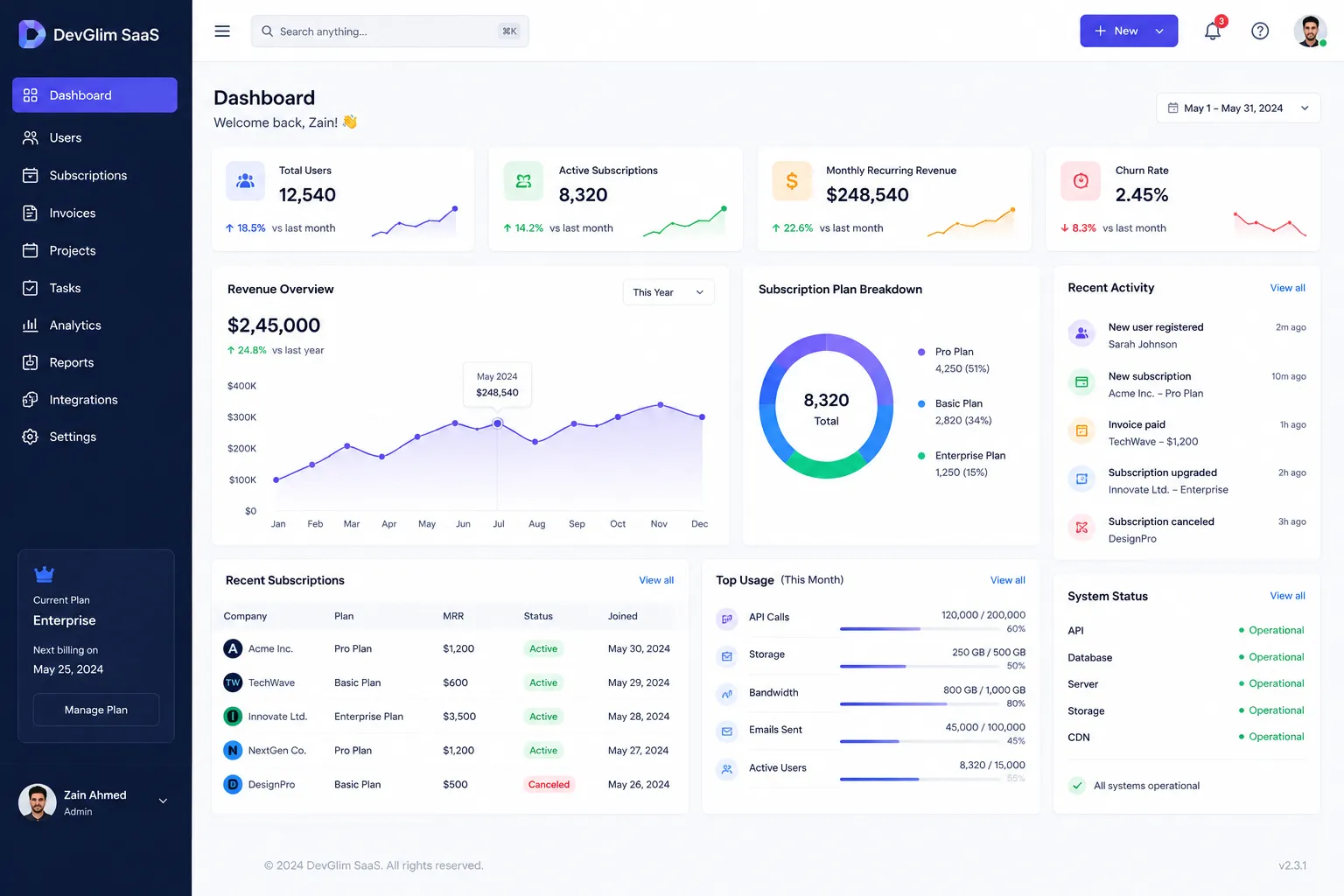
SaaS, or Software as a Service, is a software delivery model where the software provider hosts and operates the application, while customers access it over the internet.
Instead of installing the application on your own servers, you generally access it through a web browser or dedicated application.
Examples include:
- CRM software
- Accounting platforms
- Project management tools
- Customer support systems
- HR software
- Marketing platforms
- Communication tools
- Analytics platforms
- AI-powered applications
- Collaboration software
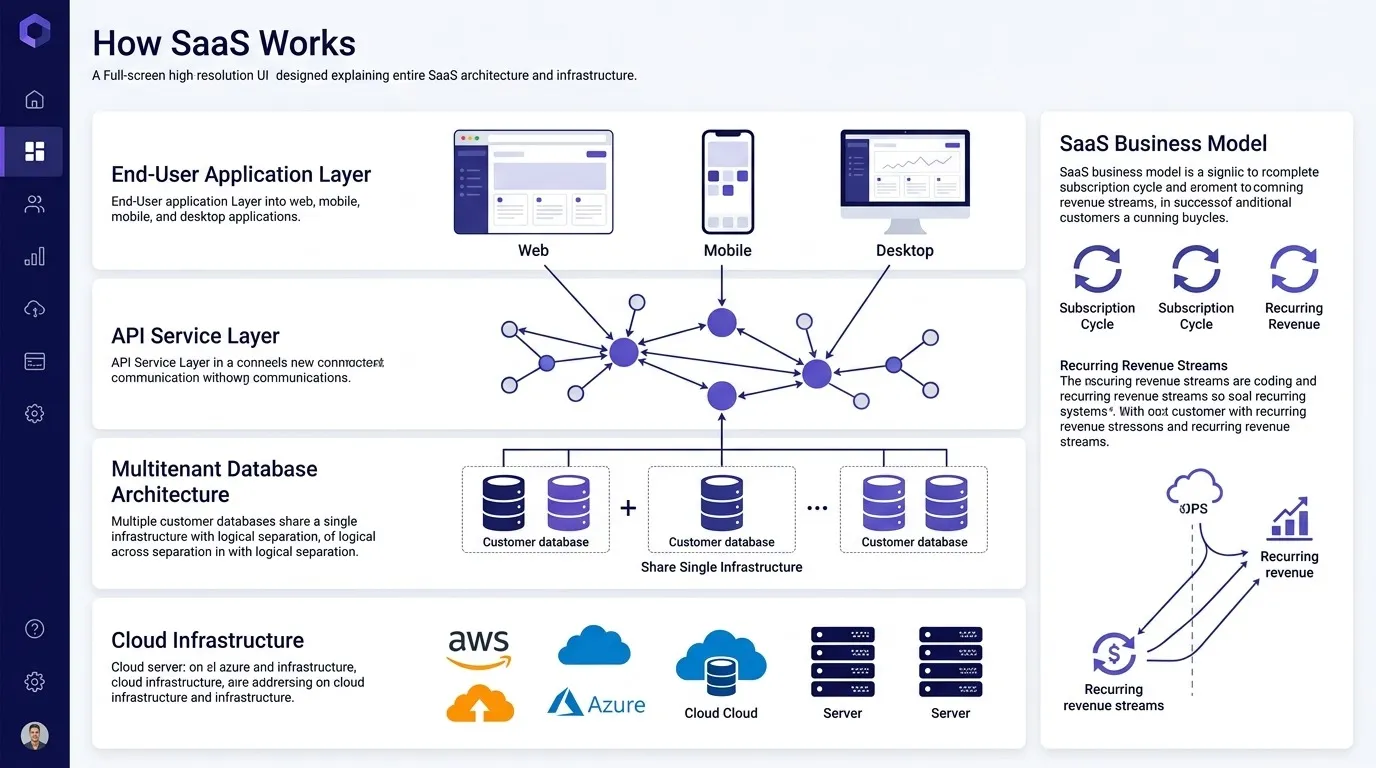
A simplified SaaS model looks like this:
Business Users
      ↓
Web Browser / App
      ↓
Internet
      ↓
SaaS Provider
      ↓
Application + Database
      ↓
Cloud Infrastructure
The SaaS provider is generally responsible for operating the application and underlying infrastructure.
The customer typically focuses on using and configuring the software rather than maintaining the servers that run it.
What Is On-Premise Software?
On-premise software is software that is installed and operated on infrastructure controlled by the organization using it.
That infrastructure might be located:
- In the company's own data center
- In an office server room
- In a private facility
- In a dedicated hosting environment controlled by the organization
A simplified setup looks like this:
Business Users
      ↓
Internal Network
      ↓
Company Infrastructure
      ↓
Application Server
      ↓
Company Database
      ↓
Company Storage
The organization is responsible for more of the technology stack.
That can include:
- Servers
- Operating systems
- Networking
- Storage
- Backups
- Security controls
- Software updates
- Monitoring
- Disaster recovery
- Hardware maintenance
For organizations with strong internal IT teams, this level of control can be a major advantage.
SaaS vs On-Premise: Quick Comparison
Here's the high-level difference:
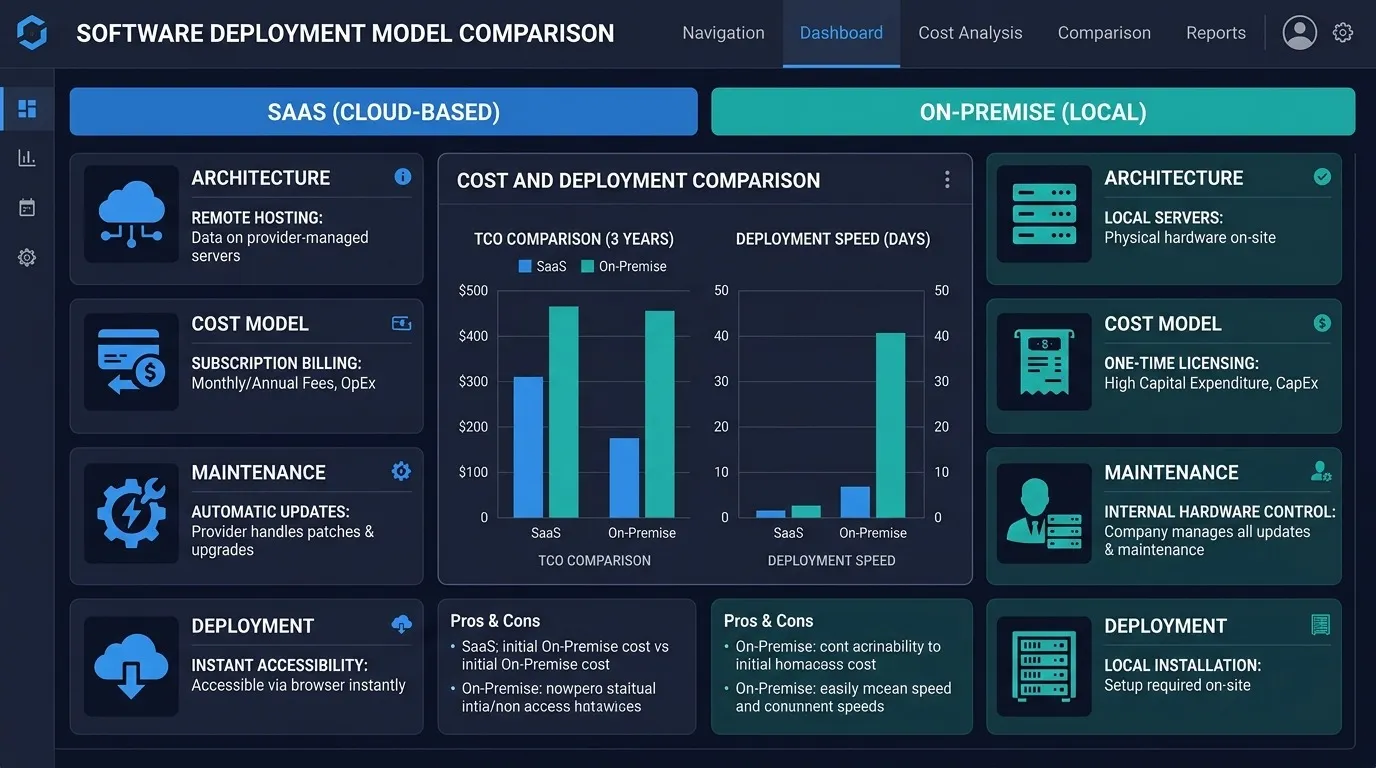
FactorSaaSOn-PremiseHostingProvider-managedCustomer-managedDeploymentUsually fasterUsually slowerUpfront costUsually lowerUsually higherRecurring costSubscriptionMaintenance + infrastructureInfrastructureProvider manages itCustomer manages itCustomizationUsually configurableOften highly customizableScalabilityGenerally easierCustomer manages scalingUpdatesUsually provider-managedCustomer-managedHardwareUsually not requiredOften requiredIT responsibilityLowerHigherData controlShared responsibilityGreater direct controlInternet dependencyUsually higherCan often work within internal networksMaintenanceProvider handles much of itCustomer handles much of itDeployment flexibilityHighHigh, but more effortBest forFast deployment and flexibilityMaximum control and specific requirements
The table gives you the basic picture, but the real decision is more complicated.
Let's look at each factor individually.
SaaS vs On-Premise Cost
Cost is one of the biggest differences between SaaS and on-premise software.
However, it's important not to compare only the software license price.
You need to consider the total cost of ownership (TCO).
SaaS costs
A SaaS product commonly involves:
- Monthly or annual subscription
- Per-user fees
- Usage charges
- Premium features
- Implementation costs
- Integration costs
- Data migration
- Optional support
For example:
SaaS Subscription
        +
Implementation
        +
Integrations
        +
Training
        =
Total SaaS Cost
The initial investment can be relatively low because you don't necessarily need to purchase servers or build your own infrastructure.
On-premise costs
On-premise software can involve:
- Software licensing
- Servers
- Networking equipment
- Storage
- Backup systems
- Data center costs
- IT staff
- Security infrastructure
- Maintenance
- Software upgrades
- Disaster recovery
- Energy and cooling
The initial investment can therefore be significantly higher.
A simplified calculation looks like:
Software License
       +
Hardware
       +
Infrastructure
       +
IT Staff
       +
Maintenance
       +
Security
       +
Backups
       =
Total On-Premise Cost
This doesn't mean on-premise is always more expensive.
For a large organization with existing infrastructure and IT staff, running software internally may make financial sense over a long period.
Which Is Cheaper: SaaS or On-Premise?
There is no universal answer.
For small and medium-sized businesses, SaaS can often be financially attractive because the organization doesn't have to build and maintain the entire infrastructure itself.
For large organizations with existing data centers, engineering teams, and specialized infrastructure, on-premise deployment may sometimes make sense.
The important question is:
What is the total cost of ownership over the expected lifetime of the software?
Don't compare only:
"$50 per user per month" vs "$100,000 software license."
Compare the complete cost of operating each option.
SaaS vs On-Premise Security
Security is one of the most common reasons organizations consider on-premise software.
It is also one of the most misunderstood parts of the SaaS vs on-premise debate.
SaaS security
With SaaS, the provider is responsible for significant portions of the application's infrastructure and security.
Depending on the provider and contract, this may include:
- Infrastructure security
- Application security
- Monitoring
- Patching
- Backups
- Access controls
- Encryption
- Security testing
However, customers still have responsibilities.
For example:
- Managing user access
- Protecting account credentials
- Configuring permissions
- Controlling integrations
- Managing devices
- Following internal security policies
So SaaS does not mean:
"The provider handles all security."
Security is generally a shared responsibility.
On-premise security
With on-premise software, the organization has much more direct control over the environment.
That can be valuable when strict security requirements exist.
But greater control also means greater responsibility.
The organization may need to manage:
- Firewalls
- Network security
- Server hardening
- Operating system patches
- Application patches
- Endpoint security
- Intrusion monitoring
- Backups
- Disaster recovery
- Access management
Having software on your own servers doesn't automatically make it more secure.
A poorly configured internal server can be more vulnerable than a professionally managed cloud environment.
SaaS vs On-Premise Data Control
Data ownership and control can be especially important for organizations handling sensitive information.
With SaaS, data is generally stored within infrastructure operated by the provider.
The organization should carefully review:
- Data ownership terms
- Data residency
- Backup policies
- Data retention
- Export capabilities
- Access controls
- Security practices
- Compliance requirements
- Contract termination procedures
With on-premise software, the organization has direct control over where the data is stored and how the environment is managed.
This can be particularly useful when internal policies or regulatory requirements demand a high degree of control.
SaaS vs On-Premise Customization
Customization is another major difference.
SaaS applications usually offer configuration options such as:
- Custom fields
- Workflows
- Permissions
- Reports
- Integrations
- Branding
- Automation rules
But there are limits.
You generally can't rewrite the entire SaaS platform simply because your business operates differently.
On-premise software can provide considerably more control.
Organizations may be able to modify:
- Application logic
- Database structure
- Integrations
- User interfaces
- Authentication
- Infrastructure
- Deployment processes
This flexibility comes with a trade-off.
The more you customize software, the more effort it can take to maintain and upgrade.
SaaS vs On-Premise Scalability
Imagine your company grows from 100 employees to 5,000.
With SaaS, scaling may be relatively straightforward.
You may simply:
Add more users → Increase your subscription → Continue using the platform.
The provider handles much of the underlying infrastructure scaling.
With on-premise software, the organization may need to:
- Purchase additional hardware
- Increase server capacity
- Expand storage
- Upgrade networking
- Configure additional servers
- Increase database capacity
- Reconfigure load balancing
- Expand backup systems
Large organizations can absolutely scale on-premise systems, but it usually requires more planning and infrastructure investment.
SaaS vs On-Premise Maintenance
This is one of SaaS's biggest advantages.
With SaaS, the provider generally handles much of the maintenance.
That can include:
- Software updates
- Security patches
- Infrastructure maintenance
- Bug fixes
- Server management
- Backups
- Performance improvements
The customer mainly manages the application configuration and how employees use it.
With on-premise software, the organization takes on much more of this responsibility.
That means maintaining:
Hardware
   ↓
Operating System
   ↓
Database
   ↓
Application
   ↓
Integrations
   ↓
Backups
   ↓
Security
For businesses without a large IT team, this can become a significant burden.
SaaS vs On-Premise Updates
SaaS platforms generally make it easier for providers to roll out updates centrally.
When a new version is released, customers can usually access it without manually installing the software.
That's convenient, but there can be a downside.
Organizations may have less control over exactly when updates happen.
On-premise environments provide greater control over the update process.
The organization can decide:
- When to update
- Which version to deploy
- How to test the update
- When to roll it out
- Whether to delay an upgrade
This can be important for businesses operating complex or highly customized systems.
SaaS vs On-Premise Performance
Performance depends heavily on the specific architecture.
A SaaS application relies on internet connectivity and the provider's infrastructure.
For most modern applications, this isn't a major problem.
However, organizations operating in environments with:
- Limited connectivity
- Strict network requirements
- Low-latency internal systems
- Specialized hardware
may benefit from software deployed closer to their users or systems.
On-premise deployment can provide more direct control over networking and infrastructure.
But SaaS providers can also use:
- Content delivery networks
- Global infrastructure
- Caching
- Load balancing
- Distributed systems
to deliver highly responsive applications.
So neither model automatically wins on performance.
SaaS vs On-Premise Internet Dependency
SaaS applications generally depend heavily on network connectivity.
If employees cannot reach the SaaS provider, they may not be able to use the application.
On-premise applications can sometimes continue operating within an organization's internal network even if external internet connectivity is unavailable.
This can matter for:
- Manufacturing
- Warehousing
- Healthcare
- Industrial systems
- Remote facilities
- Critical internal operations
However, the exact behavior depends on how the software is designed.
SaaS vs On-Premise Disaster Recovery
Disaster recovery is often overlooked when comparing software deployment models.
For SaaS, the provider may offer infrastructure redundancy, backups, and disaster recovery mechanisms.
But customers should not assume this without checking the provider's actual policies.
Important questions include:
- How frequently is data backed up?
- How long are backups retained?
- How quickly can data be restored?
- What happens if the provider experiences an outage?
- Can customers export their data?
- What happens if the SaaS company shuts down?
With on-premise systems, the organization is responsible for designing its own disaster recovery strategy.
That might include:
Production Server
       ↓
Backup System
       ↓
Offsite Backup
       ↓
Disaster Recovery Environment
The key difference is responsibility.
SaaS vs On-Premise Integration
Modern businesses rarely use only one software system.
A CRM may need to connect with:
- Accounting software
- Email platforms
- Marketing tools
- Payment systems
- ERP software
- Customer support platforms
- Data warehouses
- Internal applications
SaaS products often provide APIs and pre-built integrations.
This can make connecting systems easier.
On-premise software can also integrate with other systems, and in some situations it can offer more control over how those integrations work.
However, building and maintaining integrations is still an engineering responsibility.
SaaS vs On-Premise for Remote Teams
For distributed organizations, SaaS is often attractive because employees can access the application from supported devices and locations.
A typical setup looks like:
Employee A ─┐
Employee B ─┼──→ SaaS Platform
Employee C ─┤
Employee D ─┘
Employees don't necessarily need to connect to a company's internal network to access the software.
On-premise systems can support remote workers too, but they may require:
- VPN access
- Remote desktop
- Private network connectivity
- Additional security infrastructure
This can increase complexity.
When Is SaaS Better?
SaaS is often a strong choice when a business wants:
Fast deployment
You can generally start using the software without building your own infrastructure.
Lower upfront investment
There is usually less need for large hardware purchases.
Less IT maintenance
The provider handles much of the infrastructure.
Easy scaling
Adding users or increasing capacity is often simpler.
Automatic updates
The provider manages software releases and patches.
Remote accessibility
Employees can generally access the platform from supported locations and devices.
Predictable operations
Many infrastructure responsibilities are handled by the provider.
When Is On-Premise Software Better?
On-premise software can make sense when an organization needs:
Maximum infrastructure control
The company manages the environment directly.
Specialized customization
The software needs significant modifications that a standard SaaS platform cannot support.
Specific data requirements
The organization has strict requirements regarding where and how data is stored.
Existing infrastructure
The business already has substantial internal IT infrastructure and expertise.
Internal network operation
The software needs to operate within a controlled internal environment.
Specialized integrations
The software must integrate deeply with internal systems or hardware.
Greater deployment control
The organization needs control over software versions and update schedules.
SaaS vs On-Premise: Which Is Better for Small Businesses?
For many small businesses, SaaS is the more practical option.
Small businesses often don't have the resources to maintain:
- Servers
- Databases
- Security infrastructure
- Backup systems
- Disaster recovery environments
- Dedicated IT teams
With SaaS, much of this complexity is handled by the provider.
Instead of spending time maintaining infrastructure, the business can focus on using the software to run its operations.
That doesn't mean SaaS is always the right choice.
If a small business has unusual security, regulatory, infrastructure, or customization requirements, an alternative deployment model may make more sense.
SaaS vs On-Premise for Enterprises
Large enterprises have a more complicated decision.
They may already have:
- Data centers
- Security teams
- Infrastructure engineers
- Compliance teams
- DevOps teams
- Internal applications
- Large technology budgets
That makes on-premise deployment more feasible.
At the same time, enterprises increasingly use SaaS because managing everything internally can become unnecessarily expensive and complex.
Many enterprises therefore use a hybrid approach.
For example:
                    Business
                       │
          ┌────────────┴────────────┐
          ▼                         ▼
      SaaS Systems            On-Premise Systems
          │                         │
          └────────────┬────────────┘
                       ▼
                  Integrations
Some applications may run in the cloud while other systems remain under internal control.
SaaS vs On-Premise: A Simple Decision Framework
If you're deciding between the two, ask these questions.
1. How quickly do we need the software?
If you need to deploy quickly, SaaS usually has an advantage.
2. How much customization do we need?
If standard SaaS configuration isn't enough, custom or on-premise software may be worth considering.
3. How much control do we need?
If your organization needs direct control over infrastructure and deployment, on-premise may be preferable.
4. What is our IT capability?
If you don't have a team capable of managing servers and infrastructure, SaaS can reduce operational overhead.
5. What are our data requirements?
Consider data residency, security, compliance, retention, and export requirements.
6. What is the total cost?
Look beyond subscription or licensing fees.
Calculate:
Software + infrastructure + people + maintenance + security + backups + integrations.
7. How quickly will our needs change?
If your business is growing rapidly, SaaS can provide greater flexibility.
What About Custom SaaS?
There's another option that businesses sometimes overlook:
Build your own SaaS platform.
Instead of buying a generic SaaS product or installing traditional on-premise software, a business can build a software platform specifically around its processes.
For example:
Business Requirements
        ↓
Custom SaaS Architecture
        ↓
Web Application
        ↓
Business Logic
        ↓
Database
        ↓
Cloud Infrastructure
        ↓
Users
This approach can provide:
- Custom workflows
- Custom user roles
- Industry-specific features
- Custom integrations
- Automated processes
- AI functionality
- Custom reporting
- Flexible architecture
The trade-off is that custom SaaS requires an upfront development investment and ongoing maintenance.
It can make sense when existing SaaS products don't fit the business well enough or when the software itself is becoming an important competitive advantage.
SaaS vs On-Premise vs Custom SaaS
The decision doesn't have to be binary.
You can think about the three approaches like this:
OptionBest ForMain AdvantageMain Trade-OffSaaSMost businessesFast deploymentLess controlOn-PremiseSpecialized environmentsMaximum controlHigher operational burdenCustom SaaSUnique business requirementsFull customizationHigher development investment
For many organizations, standard SaaS is the simplest starting point.
For organizations with unusual requirements, custom software or on-premise deployment may be more appropriate.
Frequently Asked Questions
Is SaaS better than on-premise software?
Not universally. SaaS is often better for businesses that prioritize fast deployment, lower infrastructure management, scalability, and predictable operations. On-premise can be better when an organization requires greater control, customization, or specific infrastructure and data requirements.
Is SaaS cheaper than on-premise software?
SaaS often has a lower upfront cost, but the long-term cost depends on subscription fees, users, usage, integrations, implementation, and support. On-premise software can require significant upfront investment in licenses, hardware, infrastructure, and IT staff.
Is on-premise software more secure than SaaS?
Not automatically. On-premise provides more direct control, but the organization is also responsible for securing the environment. A well-managed SaaS platform can have strong security controls, while a poorly maintained on-premise system can introduce significant risks.
Can SaaS be customized?
Yes. Many SaaS platforms support configuration, workflows, integrations, custom fields, permissions, and APIs. However, customization is generally limited compared with software that your organization owns and controls at the code and infrastructure level.
Can SaaS work offline?
Some SaaS applications provide offline functionality, but many depend on an internet connection. The exact capabilities depend on the product's architecture.
Why do companies still use on-premise software?
Companies may choose on-premise software because of security requirements, regulatory considerations, data control, customization, existing infrastructure, specialized integrations, or the need to control their software environment.
Is SaaS the future of software?
SaaS is already a major software delivery model, but it is not the only one. Many organizations use a combination of SaaS, private cloud, public cloud, and on-premise systems depending on their requirements.
Final Verdict: SaaS or On-Premise?
For most modern businesses, SaaS is the better starting point when the goal is to deploy software quickly without taking on the complexity of managing infrastructure.
But "better" depends on what you're optimizing for.
Choose SaaS when you prioritize:
- Speed
- Flexibility
- Lower upfront investment
- Remote access
- Scalability
- Reduced infrastructure management
Consider on-premise when you prioritize:
- Direct control
- Specialized infrastructure
- Deep customization
- Specific data requirements
- Internal network operation
- Control over deployment and updates
And consider custom SaaS when your business processes are unique enough that existing software is holding you back.
The most important thing is not choosing the trendiest architecture or deployment model. It's choosing the model that fits your business, technical capabilities, security requirements, and long-term goals.
Need a custom SaaS platform built around your business? DevGlim helps businesses and startups design and develop custom SaaS applications, business software, AI-powered platforms, and scalable cloud-based systems.