Parallel Running During Software Migration: How Long, What to Compare, When to Cut Over
Run the old and new systems side by side before you switch. Here is how long to do it, what to compare and how to decide when to cut over.
DevGlim Team
November 18, 2026 · Updated November 19, 2026
Looking to build this instead of buying it? See our Replace Spreadsheets & Access Databases with a Web App service →
Switching business software is stressful because you cannot afford to lose a day of work. Parallel running is the safety net: you operate the old and new systems side by side for a set period, compare results, and switch only when the new one proves itself.
This guide explains how it works, how long to do it, and how to decide when you are ready to cut over.
What parallel running means
During parallel running, the same real work is entered into both systems, or the new system receives a copy of live data. Staff keep using the old system as the official record while the team checks that the new one produces the same results.
It is most useful when the system handles money, customer commitments, or compliance, such as invoicing, scheduling, inventory or payroll-related data. How long should you run both systems?
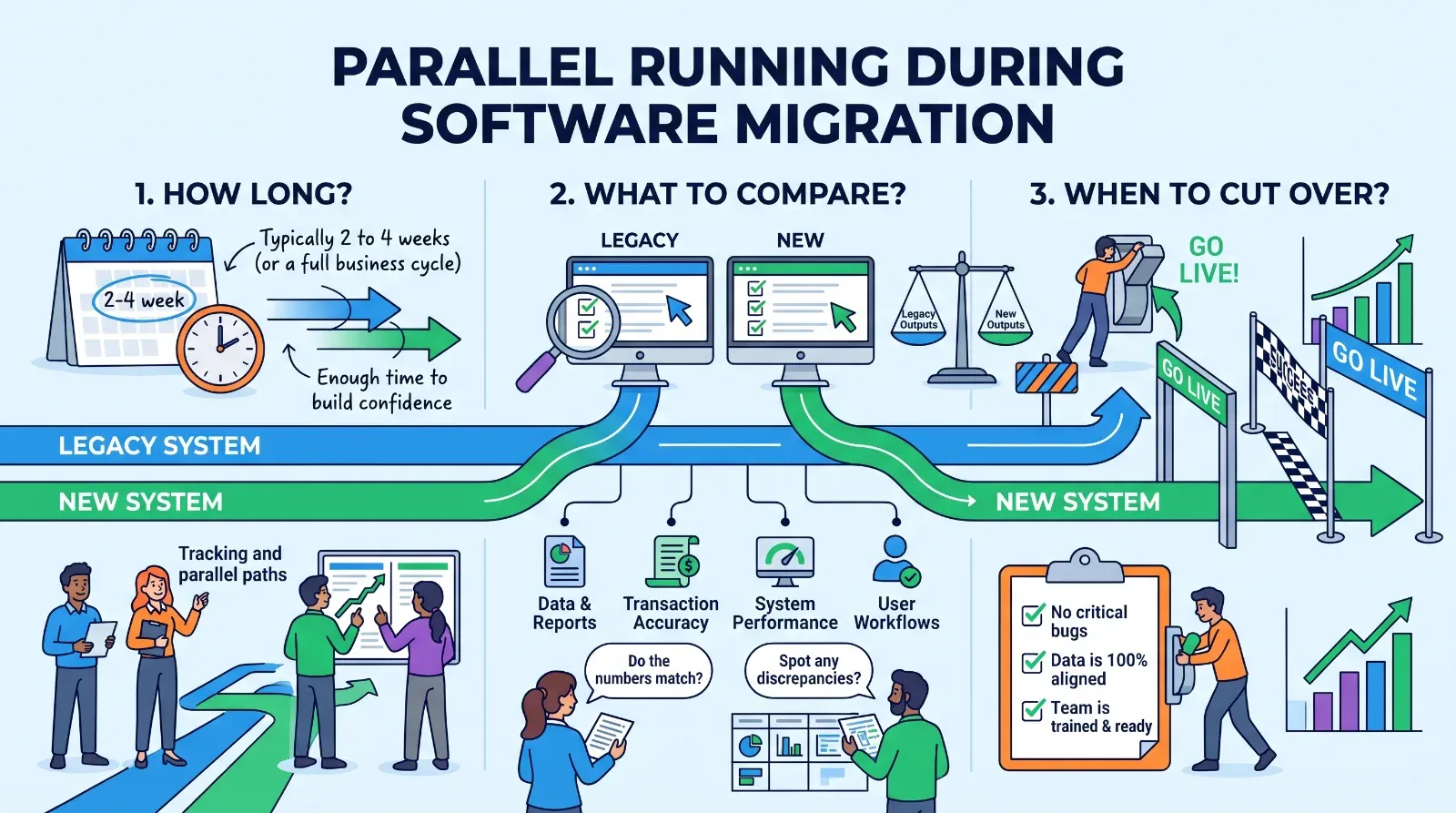
There is no universal number. The right length is tied to your business cycle, not the calendar. A useful rule is to run in parallel for at least one full cycle of your most important process.
- If you invoice monthly, run through at least one complete month-end.
- If your work is seasonal, include a busy period, or test it with realistic peak volumes.
- For simple internal tools, one to two weeks can be enough.
The cost of parallel running is double data entry, so keep it as short as the risk allows.
What to compare
Decide before you start what "matches" means. Compare:
- Totals: invoice totals, order counts, stock levels
- Calculations: taxes, discounts, commissions
- Statuses: are jobs, orders and tickets in the same state in both systems?
- Reports: do the monthly numbers agree?
- Speed and errors: how often do staff hit problems in the new system?
Log every difference. Each one is either a bug in the new system, a data issue, or a place where the old system was wrong all along. The third case is more common than people expect.
Reduce the double-entry burden
To keep staff from burning out:
- Import existing records first so users do not retype history.
- Automate data flow where possible, for example by feeding the new system from the same source.
- Assign one owner who reviews the comparison daily.
Run on a limited group, such as one team or one location, if full parallel running is too heavy. Deciding when to cut over
Set exit criteria in advance, and write them down. For example:
- No critical differences for a full agreed period
- All key reports reconciled
- Staff trained and comfortable
- A tested backup and a rollback plan
When the criteria are met, choose a low-risk day for the switch, not the busiest day of the month. Keep the old system available in read-only mode for a while afterward so you can look things up.
Common mistakes
- Running in parallel with no written definition of success
- Ending too early because the team is tired of double entry
- Ignoring small differences that turn out to be real bugs
- Having no rollback plan
Next step
Before any migration starts, write one page that answers three questions: what will we compare, how long will we run both, and what would make us roll back? That page protects you more than any amount of last-minute testing.