
Legal Practice Management Software: Features, Costs and Implementation
A practical guide to legal practice management software features, costs, integrations and implementation for law firms replacing disconnected tools.
DevGlim Team
September 12, 2026 · Updated September 30, 2026
Looking to build this instead of buying it? See our Custom Legal Practice Management Software service →

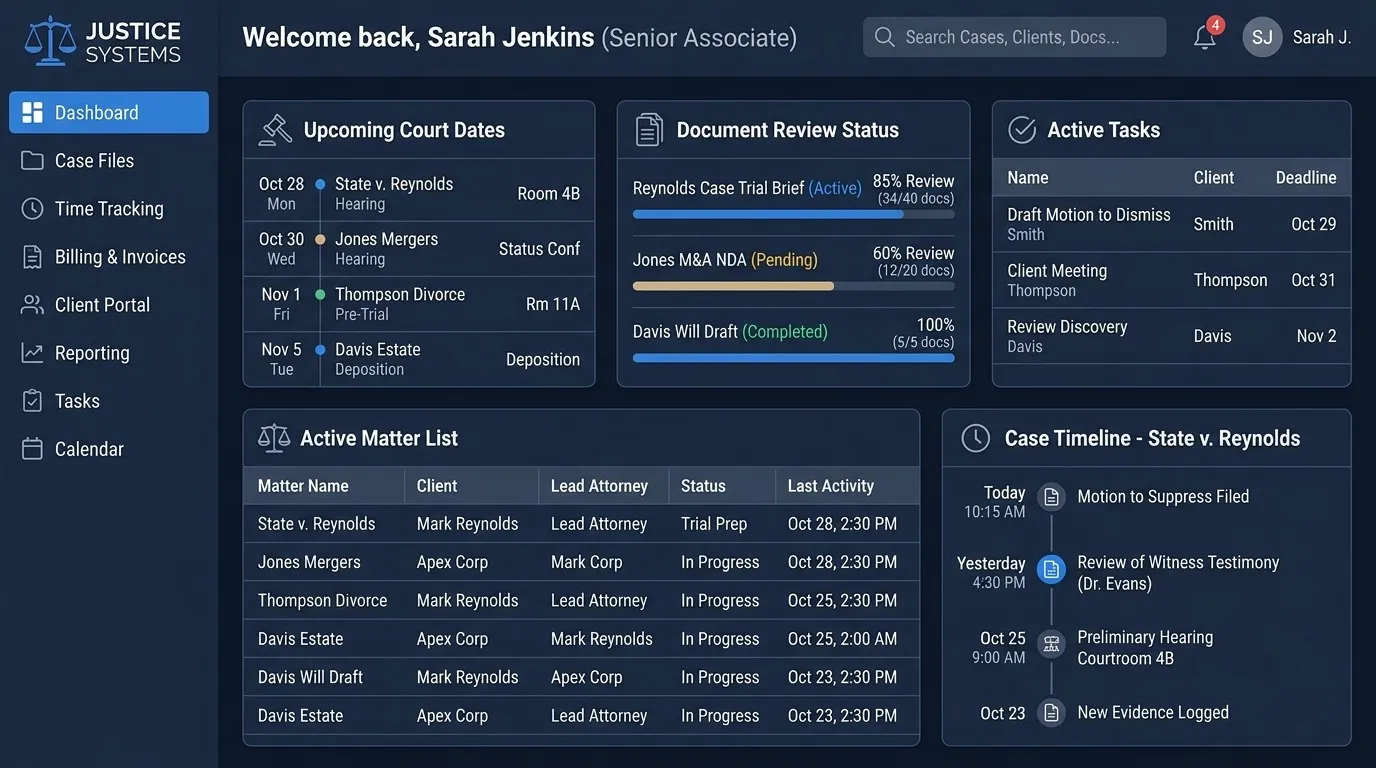
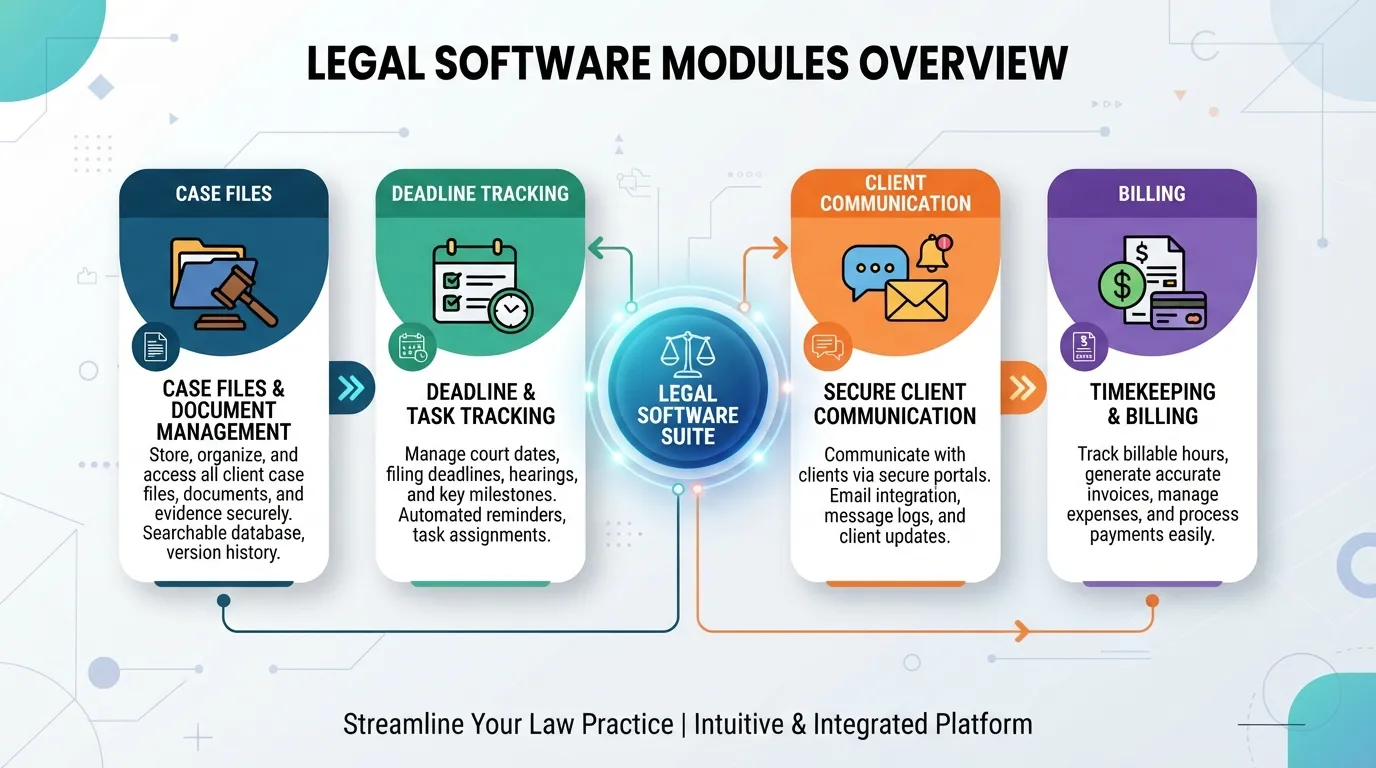
Many law firms still manage cases through a mix of physical files, shared drives, and individual attorneys' personal tracking systems—a setup that creates real risk when deadlines are missed or case details are hard to locate quickly. Practice management legal software centralizes case files, deadlines, and client communication into one system built specifically for legal workflows.
Start With a Legal Workflow Audit
Before choosing software, map how a matter moves from intake to closure. Record who creates the matter, where documents are stored, how conflicts are checked, how deadlines are calculated, how time is captured, and which reports partners need. This exposes the handoffs and duplicate entry that a new system must remove.
A useful requirements document separates mandatory workflows from preferences. It should also identify data that needs to be migrated, integrations that must remain available, permission levels by role, and the person responsible for approving each stage of implementation. That makes vendor comparisons more objective and reduces expensive changes after development begins.
Planning custom legal practice management software? Use our free estimator to see an approximate investment, timeline and complexity for your firm. Open the full-page tool.
Free tool · about 2 minutes
Legal Practice Software Cost Estimator
You will get:
- A project complexity level for your requirements
- An estimated investment and timeline
- What is driving the estimate and the likely project components
No sign-up needed to see your result. This is an indicative estimate based on the information provided. Final pricing depends on features, integrations, design complexity and project requirements.
Core Problems Legal Practice Management Software Solves
1. Missed Deadlines
Court filing deadlines and statute of limitations dates carry serious consequences if missed. Centralized deadline tracking with automated alerts removes reliance on individual memory or personal calendars.
2. Scattered Case Files
Practice management software for lawyers centralizes documents, correspondence, and case notes into one searchable system, rather than files split across shared drives and email threads.
3. Inconsistent Client Communication
Without a system, client updates depend on individual attorney habits. Structured communication logging ensures every client interaction is recorded and accessible to the whole team.
4. Manual Time and Billing Tracking
Client management software law firm platforms typically integrate time tracking directly into casework, reducing billing errors and missed billable hours from manual logging.
Off-the-Shelf vs. Custom Legal Software

Workflow fit
Off-the-shelf products support common matter, calendar and billing workflows. A custom system is more appropriate when the firm has specialized intake, approval, document or reporting requirements that cannot be configured cleanly.
Integrations and data control
Commercial platforms usually integrate with a defined list of tools. Custom software can connect to the firm's existing document, accounting and communication systems, but the scope and maintenance responsibility should be documented. Data ownership, export formats, backups and retention rules belong in the contract whichever route you choose.
Cost and maintenance
A subscription product has a lower initial cost but ongoing per-user fees. Custom development has a higher initial investment and requires maintenance, hosting and security updates. Compare three-to-five-year total cost rather than only the purchase price.
When Custom Legal Software Makes Sense
- Your intake, matter or document workflow cannot be represented safely in a standard product.
- Staff repeatedly copy the same information between billing, email and case systems.
- You need role-specific dashboards or reports that existing tools cannot produce.
- Data residency, retention or integration requirements rule out available products.
If the requirements are mostly standard, a well-configured commercial platform may be the faster and lower-risk choice. DevGlim's legal software cost estimator can help define an initial module and integration scope before a discovery call.
Legal Software Implementation Checklist
- Inventory the data: list matters, contacts, documents, deadlines, billing records and retention requirements.
- Clean before migration: remove duplicate contacts, standardize matter statuses and assign owners to unresolved records.
- Define permissions: document what partners, attorneys, paralegals, finance staff and administrators may view or change.
- Pilot with a small group: validate real matters and reports before moving the whole firm.
- Plan the cutover: decide when old systems become read-only, how exceptions are handled and who signs off.
- Measure adoption: track missing data, support requests and manual workarounds during the first weeks.
Frequently Asked Questions
Is custom legal practice management software worth it for a small firm?
Even small firms benefit from centralized deadline tracking and case management, since the risk of a missed deadline carries the same consequences regardless of firm size.
Can legal software integrate with existing billing systems?
Yes—custom systems are commonly built to sync with existing billing and accounting tools rather than replacing them entirely.
Does practice management software help with compliance?
Centralized deadline tracking and audit trails support compliance efforts, though firms should always verify specific regulatory requirements with legal and compliance professionals directly.
How long does it take to implement legal practice management software?
Timelines depend on workflow complexity, integrations, migration quality and review requirements. A focused first release can often be delivered in phases, while a multi-department replacement with extensive migration and integrations takes longer. A discovery phase should produce a module-by-module schedule before development begins.
What should a law firm ask before buying?
Ask about migration ownership, export formats, backup and recovery, permission controls, audit logs, integration limits, support response times and the process for security updates. Confirm legal and professional obligations with qualified counsel in the jurisdictions where the firm operates.

Final Thoughts
Case tracking and deadline management that rely on individual habits carry real risk as a firm grows. Centralized practice management software removes that risk, giving every attorney and staff member visibility into what matters most.
Ready to Build Custom Legal Practice Management Software?
DevGlim builds custom systems tailored to how your law firm actually operates. See our industry systems services or get in touch to discuss your requirements.
