Real Estate CRM Automation: A Practical Growth Guide
A practical guide to automating real-estate lead capture, routing, follow-up, appointments, documents and reporting without losing operational control.
DevGlim Team
September 5, 2026 · Updated September 21, 2026
Looking to build this instead of buying it? See our A Custom Real Estate CRM Built Around Your Exact Workflow service →
Real estate CRM automation is useful when it removes a repeated handoff, makes the next action visible or prevents a lead from disappearing between systems. It is not useful simply because a platform offers an automation button.
The right starting point is the actual workflow: where the lead originates, which information must be verified, who owns the next step, which systems are allowed to exchange data and what happens when an assumption is wrong.
What real estate CRM automation should connect
A real-estate relationship rarely exists as a contact alone. It can involve a seller or buyer, one or more properties, appointments, viewings, offers, documents, communication history and deadlines. Reliable automation preserves those relationships instead of creating disconnected tasks.
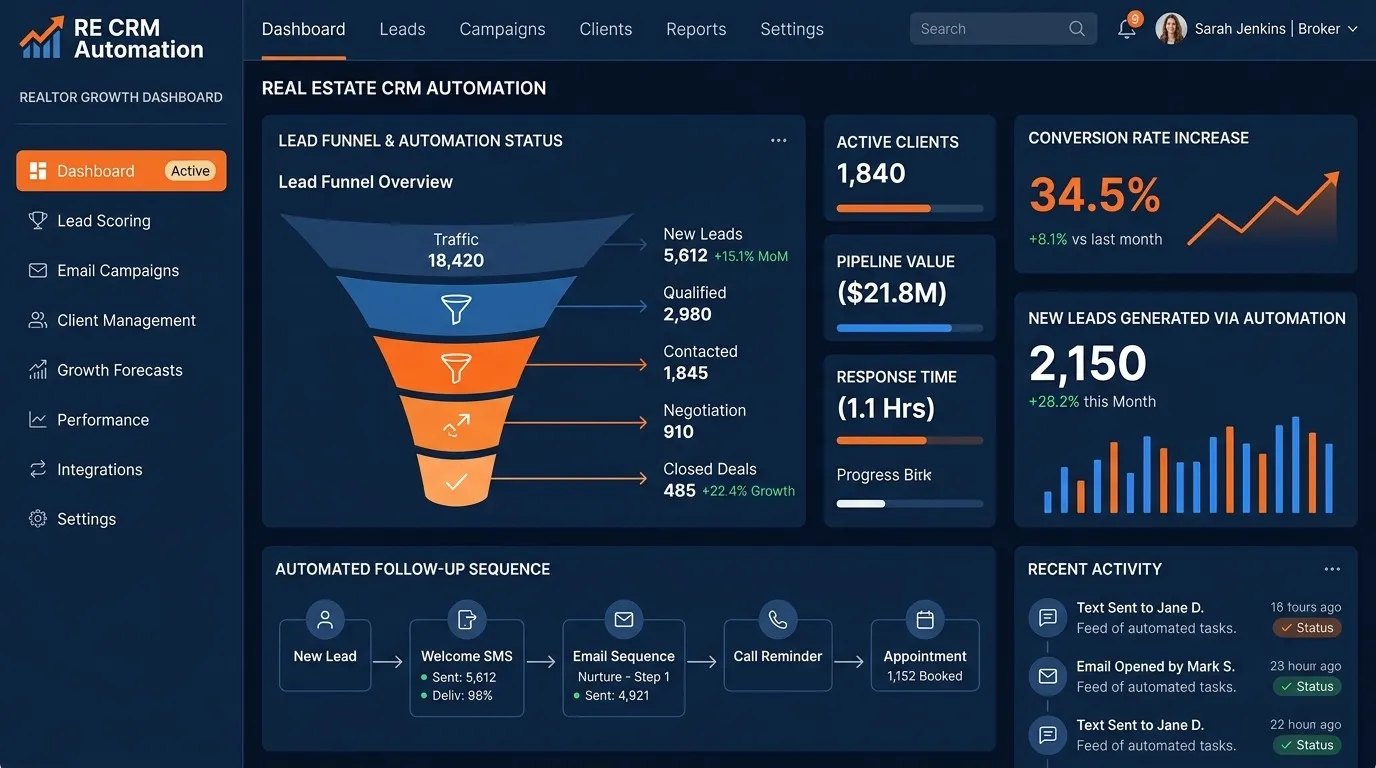
A practical flow might be:
- A lead enters from a website, advertising form, portal, referral, call or approved import.
- The CRM checks whether the person or property already exists.
- Required information, source and communication permissions are recorded.
- Rules assign the record to the appropriate team or review queue.
- Tasks and approved follow-up start only when the necessary conditions are present.
- Every action and outcome remains visible on the contact, property and opportunity timeline.
Explore these relationships in the fictional interactive real estate CRM demo.
Planning a custom real estate CRM? Estimate the scope, likely investment and major complexity drivers. Open the full-page tool.
Free tool · about 4 minutes
Real Estate CRM Cost Calculator
You will get:
- An indicative project investment and timeline
- A complexity level and likely CRM components
- The requirements driving the estimate
No sign-up needed to see your result. This is an indicative estimate based on the information provided. Final pricing depends on features, integrations, design complexity and project requirements.
High-value workflows to automate first
Lead capture and deduplication
Normalize email addresses and phone numbers, associate the source, search for an existing person or property, and route ambiguous matches to review. Blindly creating a new record for every form submission produces duplicate follow-up and unreliable reporting.
Assignment and response-time tracking
Assignment can consider territory, availability, language, team, property type or workload. The CRM should record why the rule selected an owner and when the first meaningful response occurred.
Tasks, appointments and reminders
Create a task when a stage changes, confirm a viewing through the approved channel, and escalate overdue work. Do not create so many low-value reminders that users learn to ignore all of them.
Communication history
Supported email, SMS, WhatsApp and calling providers can write events to a shared timeline. Consent, opt-out state, provider registration and regional communication rules must be addressed before automated outreach begins.
Documents and CRM updates
Document extraction can propose property, identity or contract fields, but important updates should pass schema validation and confidence rules. Low-confidence or conflicting data belongs in a human review queue.
Where AI helps—and where deterministic rules are better
Rules are best when the condition is explicit: assign a postcode to a territory, stop messages after an opt-out, or require an approval before an offer is sent. AI can help summarize conversations, classify an enquiry, extract fields or draft a response where language varies.
A strong workflow combines both. The model handles an ambiguous language task, while rules restrict the information it may use, the actions it may take and the cases that must escalate. Learn more about real estate AI automation with human controls.
Measure outcomes, not the number of automations
Useful measures depend on the workflow, but may include:
- Time from a valid enquiry to the first meaningful response
- Percentage of leads assigned without manual correction
- Appointments created, attended and rescheduled
- Duplicate or incomplete records requiring cleanup
- Pipeline ageing by stage and owner
- Opt-outs, failed deliveries and escalation rates
- Conversion by traceable source rather than last-click assumptions
Track error rates beside speed. An automation that responds quickly but routes the wrong lead, overwrites trusted data or ignores consent has not improved the system.
Should you automate an existing CRM or build a custom one?
Existing software is normally the right starting point when the process is standard, the team is small and the platform has reliable integrations. Configuration or a separate workflow layer may solve isolated handoff problems without replacing the CRM.
A custom real estate CRM becomes worth evaluating when the data model does not fit properties and transactions, teams maintain critical logic outside the platform, integrations are central, or the workflow itself provides a competitive advantage. Custom software requires more upfront discovery, development and long-term ownership, so it should solve a material constraint.
A safe implementation sequence
- Map one workflow. Name its trigger, data, owner, exception paths and measurable outcome.
- Clean the underlying data. Automation magnifies inconsistent ownership and duplicate records.
- Verify provider constraints. Confirm APIs, licences, consent, messaging registration and data-access terms.
- Prototype the decision. Test normal cases, missing data and deliberately difficult exceptions.
- Run with review. Keep a queue and audit trail while the team compares automated decisions with reality.
- Expand after evidence. Automate the next bottleneck only when the first workflow is stable.
Estimate a custom CRM scope
The real estate CRM cost calculator turns users, modules, integrations, migration, mobile and AI requirements into an indicative range and timeline. It also explains the factors driving the result. The output is a planning aid rather than a quote.
Frequently asked questions
What should a real estate CRM automate first?
Start with a repeated, measurable handoff such as lead capture and assignment, appointment reminders or task creation after a stage change. Avoid beginning with a broad autonomous-agent project.
Can AI update a real estate CRM automatically?
It can propose or perform bounded updates when validation, confidence thresholds, permissions, logs and human review match the risk. Important or conflicting information should not be overwritten silently.
Does DevGlim customize Podio?
No. DevGlim builds custom software systems. We may assess data migration from an existing platform, but we do not provide Podio setup or customization services.